
Being a student today is not just about attending lectures, reading textbooks and preparing for examinations. There are now digital tools that can make learning easier, help you manage your time and improve the way you approach your studies.
One of the biggest changes is the growth of Artificial Intelligence (AI).
From explaining difficult topics to summarising lengthy documents, checking grammar and helping with research, AI tools are becoming useful study companions.
The good news? You don’t need an expensive laptop or a paid subscription to get started. Several AI platforms offer free versions that students can use for everyday academic activities.
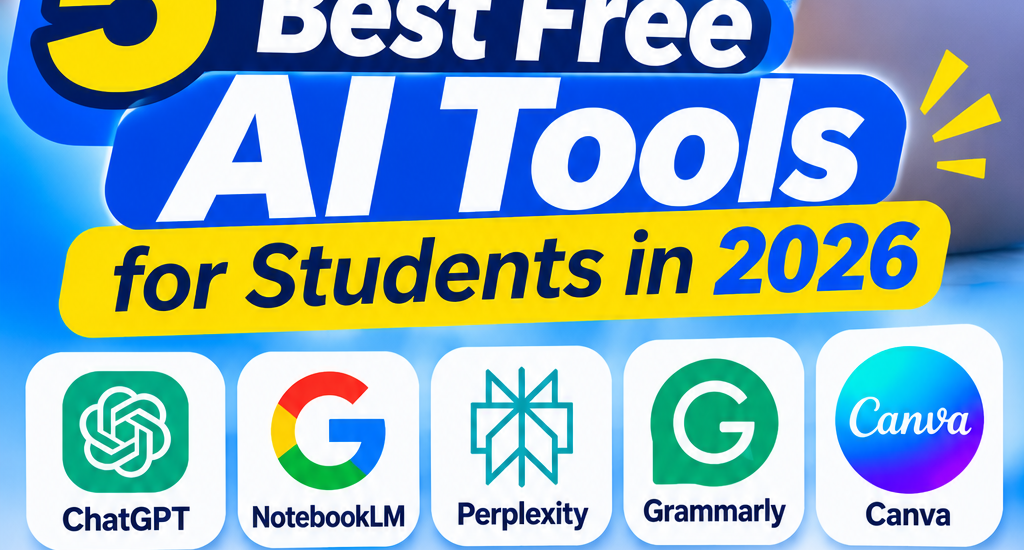
If you are a secondary school student, university undergraduate, polytechnic student or someone learning a new skill, here are five free AI tools worth exploring in 2026.
1. ChatGPT – Your Personal AI Study Assistant
If you have heard about AI, chances are you have come across ChatGPT.
ChatGPT is one of the most versatile AI tools available to students. Think of it as a study assistant you can ask questions, request explanations and use to practise what you have learned.
You can use it to:
- Explain difficult subjects in simple language.
- Summarise lengthy reading materials.
- Generate practice questions for examinations.
- Create study timetables.
- Understand mathematical and scientific concepts.
- Brainstorm ideas for assignments and projects.
Example: Instead of spending hours trying to understand a difficult topic in biology, you can ask ChatGPT to explain it step by step, using examples you can relate to.
Free access: Yes. Some advanced features have usage limits.
Website: https://chatgpt.com/
2. Google NotebookLM – Make Studying From Your Notes Easier
Have you ever downloaded a 50-page PDF or received lecture notes that you barely have time to read?
Google NotebookLM can help.
NotebookLM is an AI-powered research and learning assistant that works with materials you provide, such as PDFs, documents, notes and supported online sources.
Rather than simply asking general questions, you can use it to understand the specific materials you are studying.
You can use it to:
- Summarise lecture notes and textbooks.
- Ask questions about uploaded documents.
- Generate study guides.
- Create quizzes and flashcards.
- Identify important points in your reading materials.
- Prepare for examinations using your course notes.
Example: Upload your lecture notes and ask NotebookLM to generate 20 revision questions from the material. You can then use those questions to test your understanding before an examination.
Free access: Yes, with usage limits that may vary.
Website: https://notebooklm.google.com/
3. Perplexity AI – For Research and Finding Information
Research is an important part of student life, especially when working on assignments, seminars, projects and academic papers.
Perplexity AI makes online research easier by providing conversational answers alongside links to sources.
Instead of opening several search results immediately, you can ask a question and explore the information and references provided.
You can use it to:
- Research academic topics.
- Discover relevant websites and publications.
- Explore different perspectives on a subject.
- Find references for further reading.
- Understand unfamiliar concepts.
- Get an overview of a topic before deeper research.
Example: If you are preparing a seminar on renewable energy, ask Perplexity to explain the subject and suggest reliable sources where you can learn more.
Remember to open and verify the original sources before using information in academic work.
Free access: Yes, with limits on some advanced search features.
Website: https://www.perplexity.ai/
4. Grammarly – Improve Your Writing and Grammar
You may understand a subject perfectly but still struggle to communicate your ideas clearly in writing.
This is where Grammarly comes in.
Grammarly is an AI-powered writing assistant that helps identify grammar, spelling, punctuation and clarity issues.
It can be particularly useful when preparing assignments, reports, emails, personal statements and other academic documents.
You can use it to:
- Correct spelling mistakes.
- Identify grammatical errors.
- Improve sentence structure.
- Make your writing clearer.
- Check punctuation.
- Improve the readability of your work.
Example: After writing an assignment, you can use Grammarly to identify errors and improve the clarity of your sentences before submitting it.
Free access: Yes. Some advanced writing and AI features require a paid plan.
Website: https://www.grammarly.com/
5. Canva – Create Beautiful Presentations and School Projects
Not every academic task involves writing. Sometimes, you need to prepare a presentation, design a project cover, create an infographic or put together an attractive visual report.
Canva makes graphic design easier, even if you have never used professional design software.
Its free plan provides access to design templates and selected AI-powered features.
You can use it to:
- Design school project covers.
- Create presentation slides.
- Prepare seminar presentations.
- Design educational posters.
- Create infographics.
- Make diagrams and visual learning materials.
Example: If your lecturer asks you to present a topic in class, you can use Canva to create clean, professional-looking slides instead of struggling with complicated design software.
Free access: Yes. Some templates, design assets and AI features are available only on paid plans.
Website: https://www.canva.com/
Quick Comparison: Which AI Tool Should You Use?
| AI Tool | Best For | Free Version |
|---|---|---|
| ChatGPT | Learning and explanations | Yes |
| NotebookLM | Studying lecture notes and PDFs | Yes |
| Perplexity AI | Online research | Yes |
| Grammarly | Grammar and writing improvement | Yes |
| Canva | Presentations and graphic design | Yes |
How Students Can Use AI Without Depending on It
AI is useful, but it is important to understand that it should support your learning, not replace it.
Here are a few ways to use these tools responsibly:
- Understand before submitting: Don’t copy AI-generated answers without understanding what they mean.
- Verify information: AI tools can sometimes provide incorrect information. Cross-check important facts.
- Use AI for practice: Ask it to create questions, quizzes and exercises to test your knowledge.
- Develop your own ideas: Use AI to brainstorm and organise your thoughts, but let your own understanding guide your work.
- Respect academic rules: Follow your school’s or institution’s guidelines on AI use.
Remember, the goal is not just to finish an assignment faster. It is to become a better learner.
Final Thoughts
You don’t need to pay for expensive software before you can start benefiting from Artificial Intelligence.
With tools like ChatGPT, NotebookLM, Perplexity, Grammarly and Canva, students can access useful digital resources for studying, research, writing and creativity.
Start with one or two tools that address your biggest academic challenges. Learn how to use them properly, and gradually explore the others.
The students who benefit most from technology are not necessarily those who use the most tools, but those who know how to use the right tools effectively.
At 3xStack, we believe technology should make learning easier and create more opportunities for everyone. Keep learning, keep exploring and keep building your digital skills.
What AI tool have you tried so far? Share your experience in the comments!

About 3xStack
3xStack is a technology and digital solutions brand committed to helping individuals, students, and businesses make smarter use of technology.
We share practical tips, laptop buying guides, computer troubleshooting advice, software recommendations, and insights into digital tools that make everyday work easier.
From choosing the right laptop to discovering useful software and growing your business online, our goal is to make technology simple, accessible, and useful for everyone.
3xStack — Smart Technology. Practical Solutions.