Looking for an affordable laptop in Nigeria? You don’t have to break the bank to get a laptop for school, business, typing, browsing, or learning a new skill.
With ₦200,000, you can still find useful laptops in Nigeria, especially if you’re open to buying a fairly used business laptop. But here’s the catch: prices have changed, and some models that used to be affordable now cost considerably more.
So, before you spend your hard-earned money, let’s look at the laptops worth considering, the specifications to prioritise, and the things you should check before paying.
What Kind of Laptop Can ₦200,000 Buy in 2026?
At this budget, you’ll mainly be looking at older business laptops and selected entry-level models. Your best option will depend on the laptop’s condition, specifications, and seller.
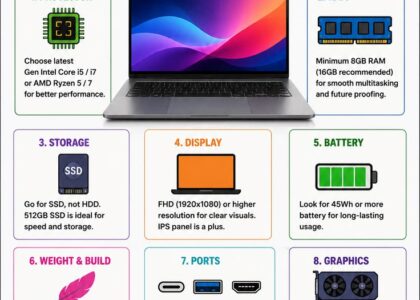
For most people, I recommend looking for:
- Intel Core i5 or a comparable processor.
- At least 8GB RAM, if possible.
- A 256GB SSD for faster everyday performance.
- A working battery and a screen in good condition.
You may need to compromise on the laptop’s age, appearance, or battery life to stay within budget. That’s fine, provided the machine can handle the work you need it to do.
5 Laptops Worth Considering Under ₦200,000
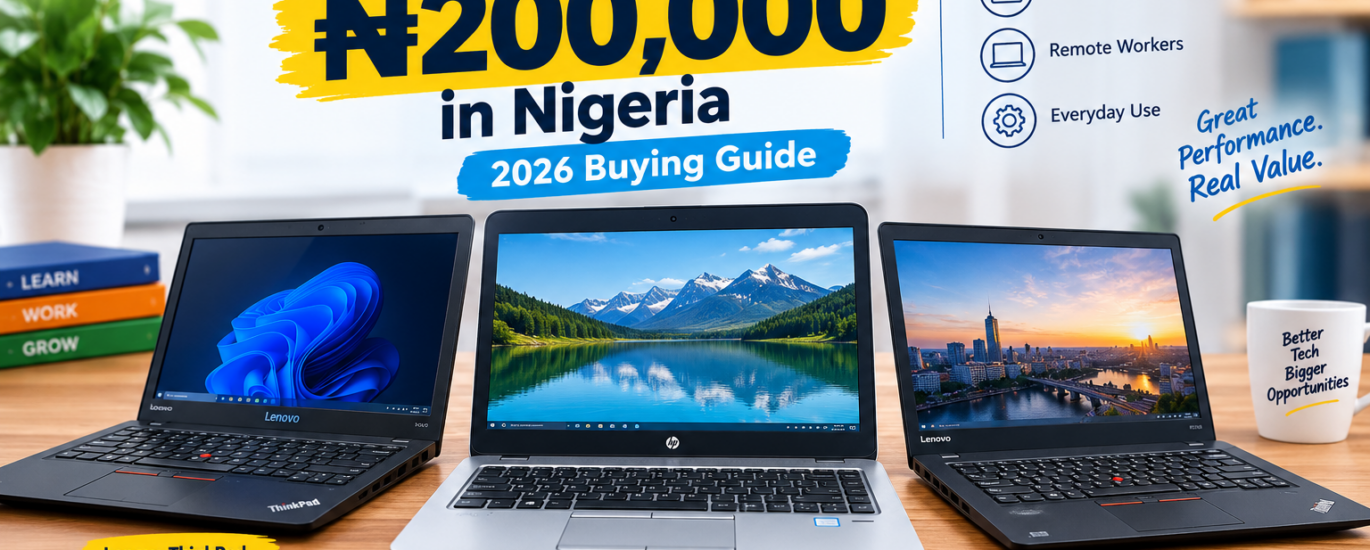
1. Lenovo ThinkPad X270
Best for: Students, typing, and everyday office work
The Lenovo ThinkPad X270 is a compact business laptop worth checking if you want something practical without spending too much.
It is suitable for writing assignments, preparing documents, browsing the internet, attending online classes, and learning basic programming.
Look for a Core i5 configuration with 8GB RAM and a 256GB SSD. Some Nigerian market listings have placed configurations like this around ₦160,000–₦190,000, although prices and condition vary.
2. HP EliteBook 840 G3
Best for: Office work and business use
The HP EliteBook 840 G3 is another model to consider. It offers a professional design, a comfortable keyboard, and specifications suitable for everyday productivity.
It can handle typing, spreadsheets, online registrations, research, and other routine tasks.
Try to find an 8GB RAM configuration with an SSD. Check the battery carefully, and remember that this model uses an older processor generation.
3. Lenovo ThinkPad T460
Best for: People who spend a lot of time typing
If you prefer a laptop with a larger screen than the compact X270, the ThinkPad T460 is worth investigating.
Its keyboard makes it a practical option for writers, students, teachers, and office workers.
A good unit with 8GB RAM and an SSD may be worth considering around the ₦200,000 mark. However, inspect the exact specifications and battery condition before deciding.
4. HP ProBook 640 G3
Best for: Students and small business owners
The HP ProBook 640 G3 is another older business laptop that may fit a tight budget.
It can be suitable for Microsoft Office, data entry, email, browsing, and everyday business applications.
Some configurations come with a traditional hard drive rather than an SSD. If you find a good deal on one with a hard drive, compare the total cost of upgrading to an SSD before buying.
5. Lenovo ThinkPad X260
Best for: Buyers who need a compact, affordable laptop
The ThinkPad X260 is an older, portable business laptop worth comparing with the X270.
It can handle basic productivity tasks, online learning, document preparation, and light coding, provided the configuration is suitable.
Because it is an older model, pay particular attention to battery health, performance, and software compatibility.
Please note: These are models to investigate, not guaranteed offers currently available below ₦200,000. Prices vary across Nigerian sellers, and some units may exceed your budget. Confirm the current price and exact specifications before buying.
Which Laptop Should You Choose?
Here’s a quick way to narrow your options.
| Your need | Models to consider |
|---|---|
| School and assignments | ThinkPad X270, HP EliteBook 840 G3 |
| Typing and office work | ThinkPad T460, ThinkPad X270 |
| Small business tasks | HP ProBook 640 G3, EliteBook 840 G3 |
| Portability | ThinkPad X260, ThinkPad X270 |
| Basic programming | ThinkPad X270, T460, or a comparable business laptop |
For demanding video editing, modern gaming, and advanced design work, you may need a higher budget.
New or UK-Used: Which Is Better?
This is one question many Nigerian laptop buyers ask.
A brand-new laptop gives you the advantage of a fresh battery and potentially a manufacturer’s warranty. However, some new laptops at this price may have limited memory, storage, or processing power.
A UK-used laptop may offer better specifications for the money, but its condition matters a lot.
Before buying a used laptop, test the keyboard, screen, battery, ports, Wi-Fi, speakers, and charging system. Ask about the warranty or return policy, too.
Don’t buy a laptop simply because it looks clean. What matters is how well it works.
Important: Check Windows Compatibility
Many laptops in this price range use older Intel processors. Some older models do not officially support Windows 11.
Windows 10 support ended on 14 October 2025, so buying an older laptop with Windows 10 requires you to consider your security and operating-system options. Check compatibility before making your decision.
If you want to use the laptop for several years, this is an important point to discuss with your seller.
What to Check Before Paying
Use this simple checklist when inspecting your laptop:
- Confirm the processor model and generation.
- Check the RAM and storage capacity.
- Make sure the screen has no lines or flickering.
- Test every key and the touchpad.
- Check the battery and charger.
- Test Wi-Fi, USB ports, audio, and webcam.
- Inspect the hinges and charging port.
- Ask about warranty and return options.
- Confirm that the operating system is properly licensed and supported.
If possible, test the laptop with the applications you intend to use.
Final Verdict
If I had ₦200,000 to spend on a laptop in Nigeria in 2026, I’d start by checking the Lenovo ThinkPad X270, HP EliteBook 840 G3, and Lenovo ThinkPad T460.
My priority would be an SSD, at least 8GB RAM, a working battery, and a laptop in good physical condition.
Remember, the best laptop isn’t necessarily the newest or most expensive one. It’s the one that meets your needs, fits your budget, and gives you good value for your money.
Need Help Choosing a Laptop?
At SmartWeb Café, we understand that choosing the right laptop can be confusing, especially when you’re working with a limited budget.
Whether you need a laptop for school, business, office work, or everyday use, you can contact us to enquire about laptop sales, repairs, software installation, and IT support.
Address: 36 Chapel of Victory Road, Rumukalagbor, Port Harcourt
Phone: 08062611277
Contact us today, and let’s help you find a laptop that works for you.
Frequently Asked Questions
Can I buy a good laptop for ₦200,000 in Nigeria?
Yes. You can find useful fairly used laptops within this budget, although you may need to consider older models and compare several sellers.
Is Core i5 better than Core i3?
Not always. Processor generation and the exact model matter. Compare the full processor specifications rather than relying on the Core i3 or Core i5 label alone.
Is 8GB RAM enough for a student?
Yes, for most assignments, browsing, online classes, and office applications. More demanding work may require additional memory.
Should I buy a laptop with an HDD or SSD?
An SSD is generally preferable because it improves startup times and application loading. If you choose an HDD model, consider the cost of upgrading it.
Are UK-used laptops reliable?
They can be good value when properly inspected, but their condition varies. Always test the laptop and ask about the seller’s warranty or return policy.
How can I find the best deal?
Compare the same model across different sellers, check the specifications, test the machine, and choose the best overall value rather than the lowest advertised price.

About 3xStack
3xStack is a technology and digital solutions brand committed to helping individuals, students, and businesses make smarter use of technology.
We share practical tips, laptop buying guides, computer troubleshooting advice, software recommendations, and insights into digital tools that make everyday work easier.
From choosing the right laptop to discovering useful software and growing your business online, our goal is to make technology simple, accessible, and useful for everyone.
3xStack — Smart Technology. Practical Solutions.