

Have you ever had an idea for a beautiful picture but didn’t know how to design it? Maybe you need an image for your business, a blog post, social media, or even a personal project, but hiring a designer is outside your budget.
The good news is that you can now turn your ideas into images with the help of artificial intelligence (AI).
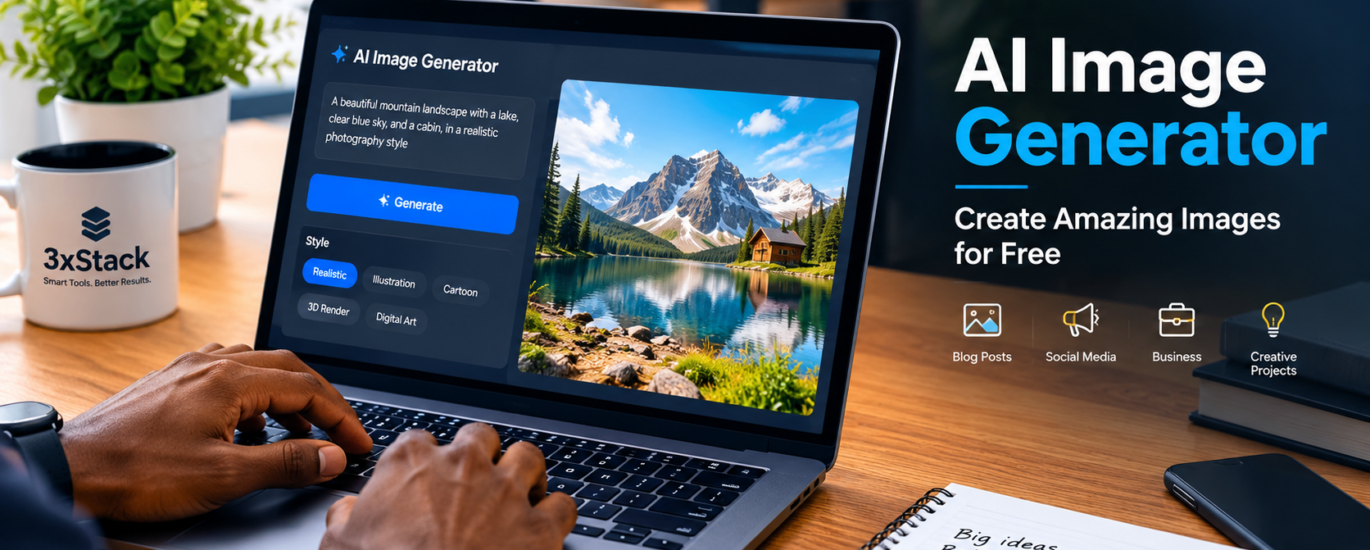
An AI image generator allows you to create images by simply describing what you want. You don’t need to be a professional designer or spend hours learning complicated design software. With the right tool and a good description, you can bring your ideas to life in minutes.
In this guide, we’ll explain how AI image generators work, the tools you can try, and how to get better results from your prompts.
What Is an AI Image Generator?
An AI image generator is a tool that uses artificial intelligence to create pictures from written instructions, also known as prompts.
For example, you could type:
“A modern laptop on a wooden desk beside a cup of coffee, soft natural lighting, realistic photography, clean background.”
The AI tool uses your description to generate an image that matches your idea.
Depending on the tool, you can create realistic photos, cartoon characters, digital artwork, product images, illustrations, posters, and more.
Best AI Image Generators to Try
There are several AI image tools available today. Some offer free access with limits, while others require a paid subscription for additional features.
1. ChatGPT Image Generation
If you already use ChatGPT, you can ask it to create images from a simple description. You can also request changes to an existing image, making it useful for brainstorming designs, blog illustrations, and promotional content.
2. Microsoft Designer and Image Creator
Microsoft’s image creation tools help users generate visuals from text prompts. They can be useful for social media graphics, creative concepts, and other everyday design projects. Available features and free usage limits may vary.
3. Canva AI
Canva combines design tools with AI features, making it a useful option if you want to create a design and add text, logos, or other elements afterwards. It’s especially handy for social media posts, presentations, and marketing materials.
4. Adobe Firefly
Adobe Firefly offers AI-powered image creation and editing features. It’s worth exploring if you want more control over creative visuals and design workflows. Access and usage limits depend on your plan.
Tip: Before choosing a tool, check its current free limits, image quality, commercial-use terms, and download options.
How to Create Images with AI
You don’t need a complicated process to get started. Follow these simple steps.
Step 1: Choose an AI image generator
Select a tool that suits your needs and budget.
Step 2: Describe the image you want
Write a clear prompt explaining what you want the image to look like. Include the subject, background, lighting, colours, and style.
Step 3: Generate your image
Submit your prompt and allow the tool to create the image. If the result isn’t quite right, adjust your description and try again.
Step 4: Make adjustments
Some tools allow you to change the background, remove objects, add details, or generate a new version.
Step 5: Download and use your image
Once you’re happy with the result, download it in the appropriate format and size for your blog, website, or social media platform.
How to Write a Good AI Image Prompt
The quality of your prompt can make a big difference.
Instead of typing “create a laptop image,” try giving the AI more details.
Example prompt:
“Create a realistic promotional photograph of a professional laptop on a clean office desk, with a wireless mouse and notebook beside it. Use soft natural lighting, a modern workspace, sharp details, and a premium commercial photography style. Leave some empty space for text. Use a landscape composition.”
This gives the AI a clearer idea of what you want.
Here are five things to include in your prompts:
- Subject: What should appear in the image?
- Setting: Where should the scene take place?
- Style: Realistic photography, 3D art, cartoon, or illustration?
- Lighting and colours: Bright, dark, warm, cool, or dramatic?
- Composition: Square, portrait, landscape, or space for text?
The more clearly you describe your idea, the easier it is to get a useful result. You may still need a few attempts to get the image just right.
What Can You Use AI-Generated Images For?
AI image generators can be useful for more than just fun pictures. You can use them for:
- Blog posts: Create featured images and illustrations that support your articles.
- Social media: Design visual content for Facebook, Instagram, TikTok, and other platforms.
- Business promotion: Develop creative concepts for adverts, product displays, and promotional campaigns.
- Website design: Create banners, backgrounds, and supporting graphics.
- Education: Produce illustrations for lessons, presentations, and learning materials.
- Creative projects: Explore characters, scenes, artwork, and new design ideas.
For businesses and content creators, AI can save time during the creative process. However, it’s still important to review the final image and make sure it represents your brand correctly.
Can You Generate AI Images for Free?
Yes, some AI image generators provide free access, but there may be limits on the number of images you can create, the speed of generation, or the features available.
If you’re just starting out, try the free option first. You can upgrade later if you need more generations, higher-resolution downloads, or advanced editing tools.
Also, remember that free access doesn’t automatically mean every image can be used commercially. Check the tool’s licensing terms before using an image in paid advertising or commercial projects.
Are AI-Generated Images Good Enough for Professional Use?
They can be, depending on the project and how carefully you review the result.
AI-generated images can look impressive, but they may sometimes contain strange details, unrealistic objects, or incorrectly rendered text. Images of products should also be checked carefully to avoid showing features that the real product doesn’t have.
For business promotions, it’s a good idea to check the image before publishing. If you need exact product details, logos, or readable text, you may get better results by generating the image first and adding those elements afterwards using a design tool.
Final Thoughts
Creating images no longer has to be difficult or expensive. With an AI image generator, you can turn a simple idea into a visual in just a few steps.
Whether you’re a blogger, student, business owner, or content creator, these tools can help you explore ideas and produce visuals more quickly.
Start with a simple prompt, experiment with different styles, and improve your descriptions as you go. You might be surprised by what you can create.
Ready to explore more technology tips, useful digital tools, and practical guides? Visit 3xStack for more helpful content.
Disclaimer: AI tool features, free usage limits, and licensing terms may change. Check each provider’s current terms before relying on a particular feature or using generated images commercially.

About 3xStack
3xStack is a technology and digital solutions brand committed to helping individuals, students, and businesses make smarter use of technology.
We share practical tips, laptop buying guides, computer troubleshooting advice, software recommendations, and insights into digital tools that make everyday work easier.
From choosing the right laptop to discovering useful software and growing your business online, our goal is to make technology simple, accessible, and useful for everyone.
3xStack — Smart Technology. Practical Solutions.